All SIPESAN Services
SIPESAN brings every customer conversation into one place. Chats from WhatsApp, Telegram, and Instagram land in the same inbox, and you decide who answers: a human agent, a chatbot, or the AI. This page walks through each SIPESAN service in brief, and where to find it in the dashboard.
Message Channels
A channel is how customers reach you. One business can connect several channels at once, and every incoming message flows through the same pipeline.
WhatsApp Business API
For an official WhatsApp Business (WABA) number through the Meta API. It supports two-way chat, HSM templates, and mass broadcasts. This is the right fit if your business already has a verified WABA number.
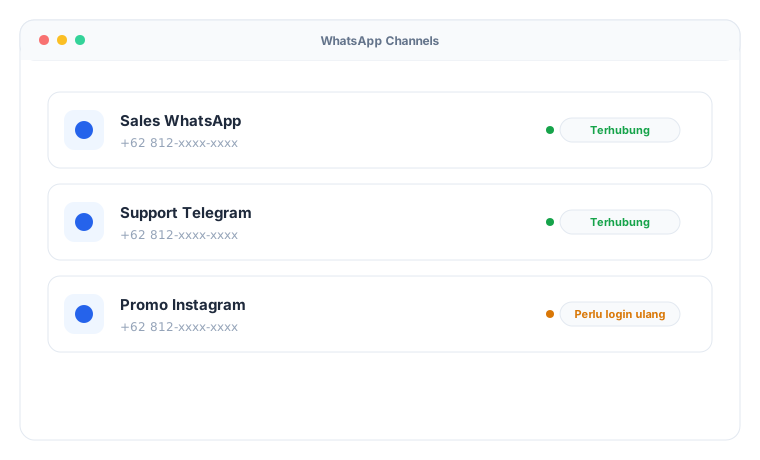
Find it under WhatsApp Channels.
Telegram
Just paste your Telegram bot token. Once connected, every chat to the bot shows up in the agent inbox exactly like any other channel. Open it under Telegram Channels.
Connect Instagram Direct Messages with Meta OAuth login. The token renews itself before it expires, so you never have to log in again on a schedule. It lives under Instagram Channels.
WhatsApp Web (QR)
No WABA number yet? Use this channel. It connects by scanning a QR code, the same way WhatsApp Web works in a browser. It supports two-way chat (text and images), chatbots, the AI agent, and broadcasts via API with paced sending built to avoid blocks. Manage it under WhatsApp Web; the broadcast details are in the WhatsApp Web (QR) Broadcast guide.
Agent Workspace
This is where agents handle conversations. A single screen holds the session list, the message thread, and customer details at once. New messages appear instantly over a WebSocket connection, with no refresh needed.

Open it under Chat.
When a chat is handed over — from the AI to an agent, or between agents — the info panel shows a Conversation Summary card: the customer's core questions and the answers already given, plus past interactions for returning customers. More in the Conversation Summary guide.
Departments & Routing
Group agents into departments — Sales, Support, Billing, and so on. Each department keeps its own daily hours in its own time zone. New sessions are shared out automatically to whichever agent has the lightest load (round-robin by active chat count). Outside opening hours, customers get an offline message. The rules live under Departments.
FAQ Chatbot
Build an automated conversation tree without writing code. Each node can be a question, a statement, an action, or a handoff to an agent. The chatbot matches customer input against keywords or buttons, then walks the tree to the end. When a customer asks for a person, or their input misses too many times, the conversation moves to an agent with the full transcript attached.
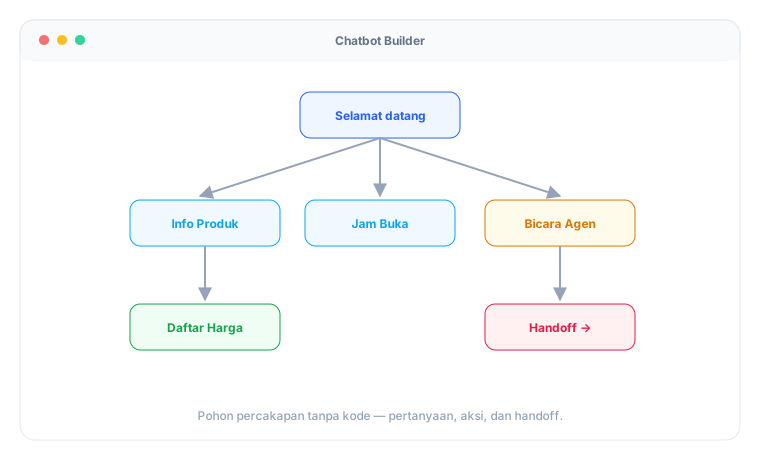
Find it under Chatbots.
AI Agent
The AI Agent answers customers with a language model, following the persona and business details you set. Two modes are available:
- FAQ mode — the chatbot keeps running, and the AI only steps in when the chatbot tree can't match the input. This is the safest way to start: the chatbot handles the standard flow, the AI handles free-form questions.
- Standalone mode — the AI holds the conversation from the first greeting through to escalation, with no chatbot tree.
The AI can be chosen per channel. A channel can use a specific AI agent, follow the business default, or be turned off entirely (humans only). For the engine behind it, you can use a free local model (qwen3:8b, running on SIPESAN's server), a cloud model from the provider of your choice, or a mix of both.
One rule matters most: the AI may only draw on three sources — the business information you fill in, results from an AI Connector, and the conversation history. That keeps it from inventing facts. When the AI is unsure, or a customer asks for an agent, the conversation escalates to a human.
Settings live under AI Settings and on each individual AI Agent. Full guide: AI Agent.
AI Flow
For flows that need fixed steps — order tracking, lead qualification, bookings — use AI Flow, a visual node-based builder. More in the AI Flow guide.
AI Connector
To let the AI answer with live data from your systems (stock, order status, prices), wire up an AI Connector. More in the AI Connector guide.
AI Knowledge Base
Have a price list, catalog, or policy document? Upload it to the Knowledge Base, and the AI will answer straight from those documents (RAG). More in the Knowledge Base guide.
Escalation & Follow-up
When the AI hands a conversation to a human (because the customer asked for an agent, took too many turns without progress, or their tone read as angry), that session is "parked" and joins the Follow-up Inquiries queue. There, an agent sees the customer's name, the target department, the last message, and the time left in the 24-hour WhatsApp window. One click on Open & Reply drops them straight into the chat.
SIPESAN also reads customer sentiment on every AI turn. If the tone turns angry, the conversation escalates on its own without waiting. Every sentiment label is recorded in the AI Interaction Log for later review.
Broadcast
Send a WhatsApp message to many customers at once using HSM templates with dynamic variables. Broadcasts go through an approval flow first: an agent submits, a supervisor or admin approves, and only then does it send. The cost is estimated up front, and delivery status is tracked per recipient.
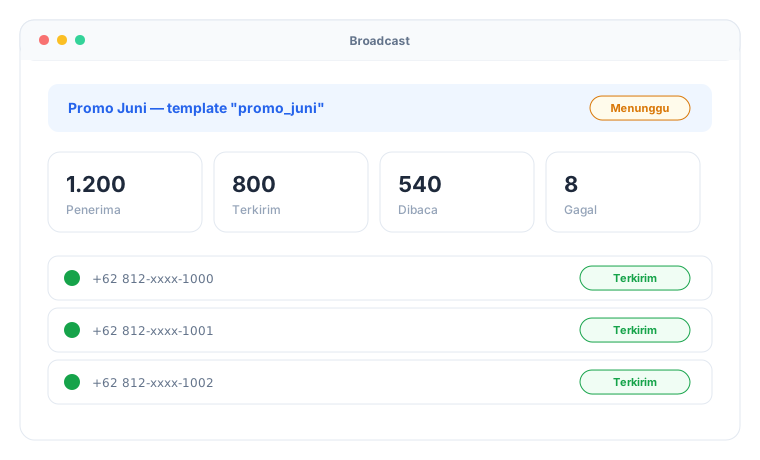
Manage it under Broadcasts.
Besides template-based WABA broadcasts, there's also the WhatsApp Web (QR) broadcast via API: plain text messages, free of charge, with paced anti-block sending and delivered/read tracking. Details in the WhatsApp Web (QR) Broadcast guide.
Canned Responses
Save ready-made replies with keyboard shortcuts, so agents can drop in common answers without retyping. Set them per department or for the whole business. Find them under Template Responses. For the details of the menus in this group, see the Chat Settings guide.
Analytics
Track performance through metrics: total sessions, average duration, chatbot deflection rate, agent response time, and a per-channel breakdown. Filter by date range — 7 days, 30 days, 90 days, a year, or a custom range.
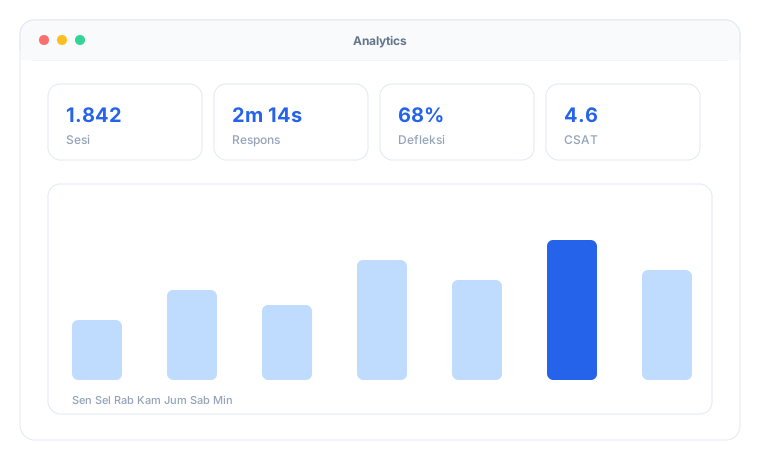
Open it under Analytics.
If you run an AI Agent, a separate AI Analytics page focuses on AI performance: deflection rate, escalation rate, sentiment mix, escalation reasons, provider/model split, and a leaderboard across AI agents. More in the AI Analytics guide.
Reports & Export
Need raw data rather than charts? The Reports page builds detailed reports — agent performance, session recaps, broadcast summaries, and more — that you can download as Excel. Large exports run in the background; once ready, the file waits for you in the Download Center. More in the Reports & Export guide.
Billing & Balance (MAU)
SIPESAN bills by MAU (Monthly Active Users), the number of unique customers who interact each month. Your balance and MAU usage are visible on the dashboard, and the system warns you as you near the limit. Sending WhatsApp broadcasts also draws down your balance at the going rate. Find it under Balance and Subscription.
SIPESAN does not bill AI tokens. Businesses use their own provider API key and pay the provider directly. If you opt into credit-based AI billing (optional), credit usage and balance are managed under AI Credits.
Account Security (2FA)
Protect accounts with two-factor authentication (TOTP) through an app like Google Authenticator, backed by recovery codes. Devices you trust can be remembered so you aren't asked for a code every login. Available to both business users and platform admins. Set it up under Two-Factor Settings.
White-Label / Custom Domain
A business can run SIPESAN on its own subdomain, with its own logo and brand name. One application serves many domains at once, told apart by the host header. The SIPESAN team handles the setup per domain.
Developer Reference
Building a technical integration? See the API & error code reference and the Webhook reference.